On the Journal page you’ll find the Pleasure Box: a free journal template I made for practicing your pleasure in writing. It asks where you are today, what wants attention, and what small thing would feel good right now. There are no right answers.
If you keep (or want to keep) your days in the Day One app — my go-to for notes, venting, and drafting — the Pleasure Box doesn’t have to live on the website. One press brings the whole sheet into Day One. A few presses more, and it becomes a template: every fresh entry in your journal arrives already holding the prompts, so beginning is as easy as opening the page. Here’s how, with pictures.
What you need: the Day One app, downloaded, on whichever device you journal in.
One — bring the Pleasure Box into Day One
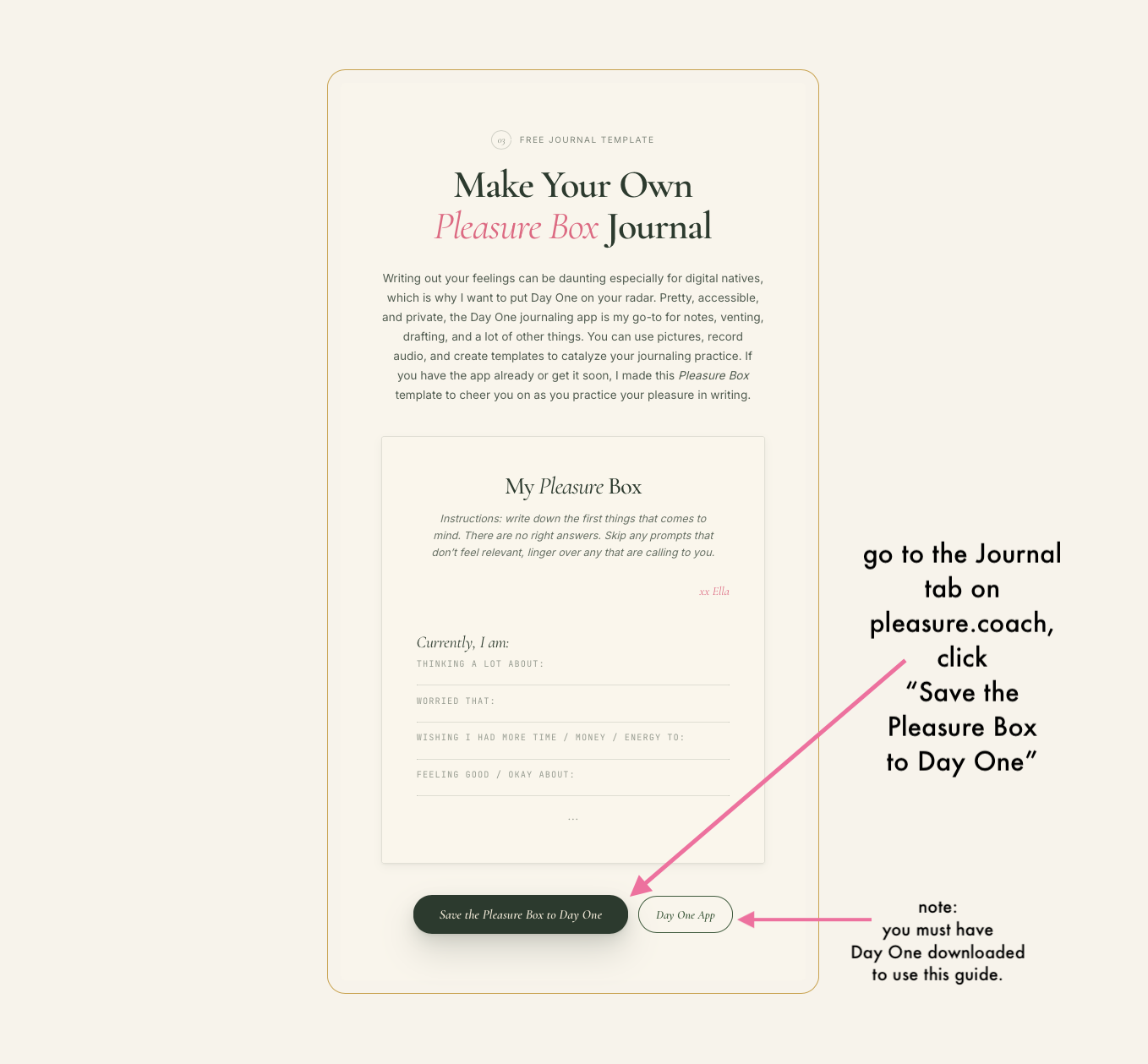
1. Go to the Journal page and click Save the Pleasure Box to Day One. (You’ll need Day One installed for the button to work.)
2. Day One will show you an Entry Preview — the whole Pleasure Box, exactly as it will arrive. Click Create New Entry.

3. Hello, the entry is here in Day One, prompts and all.

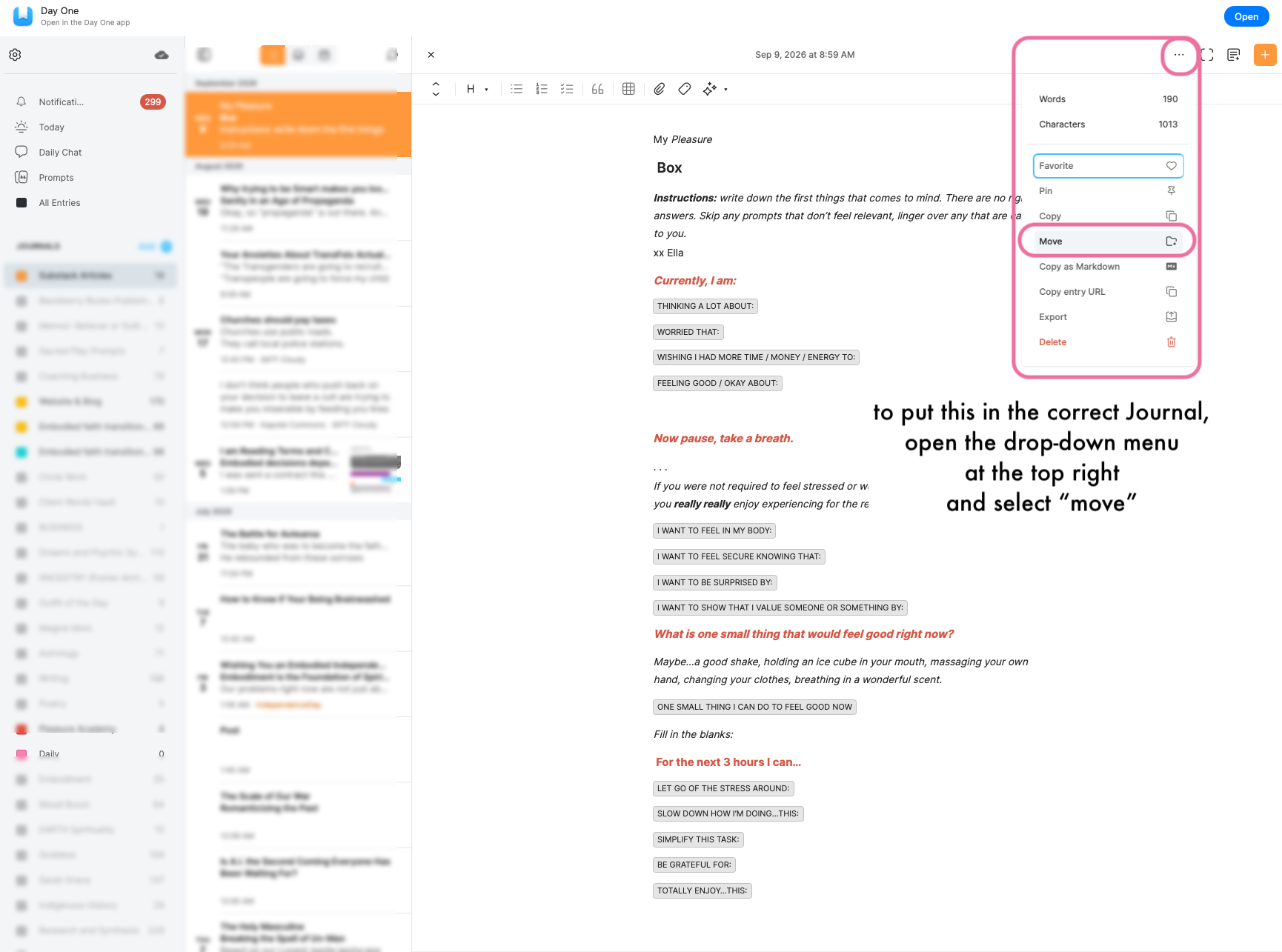
4. If you keep more than one journal, this new entry has landed in whichever is currently open — it may need a move. Click the ⋯ menu at the top right and choose Move.
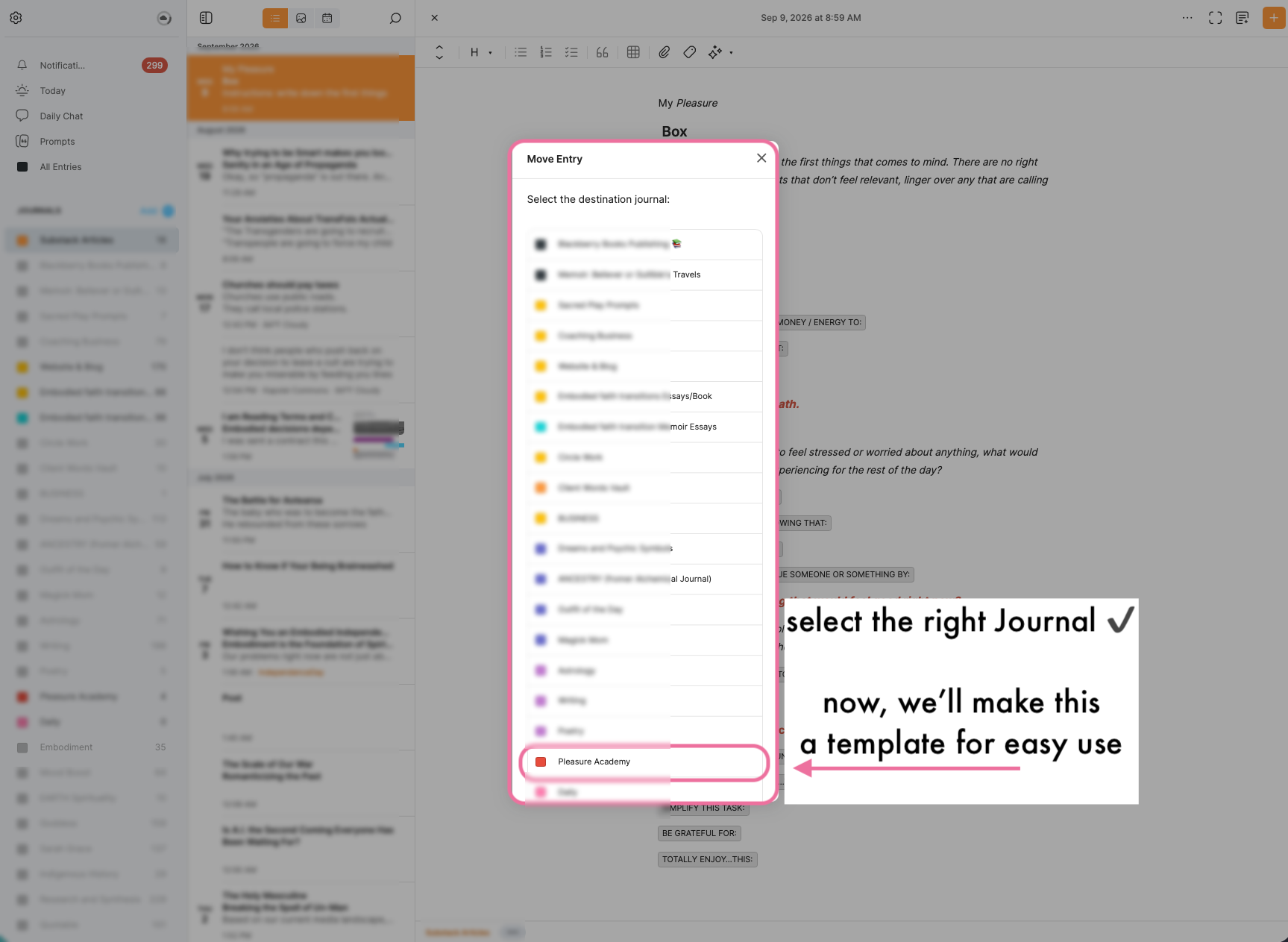
5. Pick the journal it belongs to, and there it is, home.
Two — turn the entry into a template
6. In the open entry, select all of the text and copy it (select all, then copy).

7. Now click Insert Template in the toolbar at the top right.

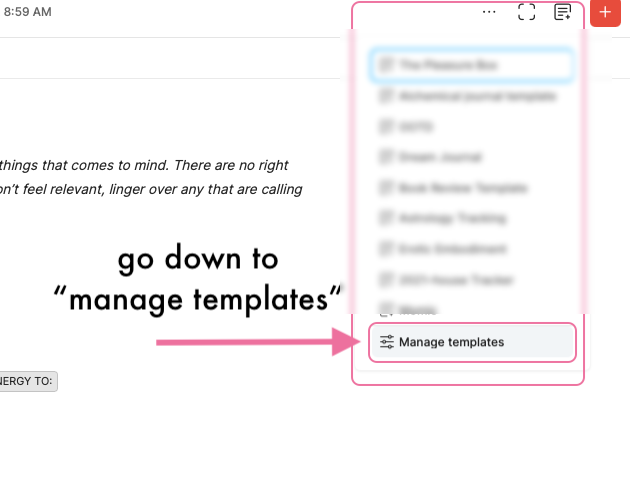
8. In the menu that opens, scroll down and choose Manage templates.
9. In the Manage Templates window, on the My Templates tab, click + New Template.

10. Four small moves:
- Retitle the template: The Pleasure Box (the sheet inside already says My Pleasure Box — leave that warm greeting alone)
- Paste the text you copied (Cmd+V)
- Select and delete the intro — the instructions line — if you like. You already know how it goes now
- Save

Three — let it arrive on its own
This last part makes the template arrive automatically, so you never have to insert it again.
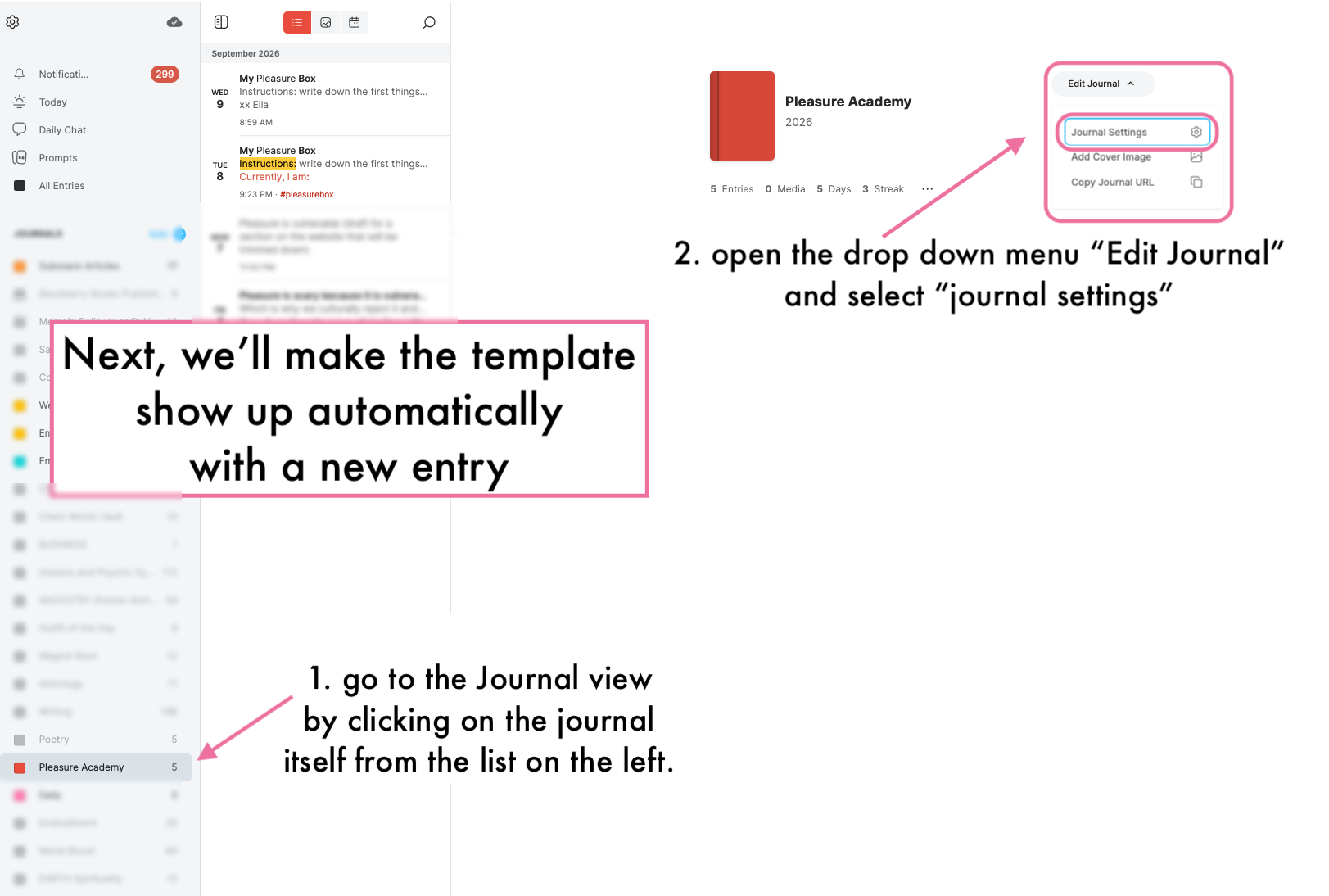
11. In the list at the left of Day One, click the journal itself — this opens its Journal view. Then choose Edit Journal, and in the drop-down, Journal Settings.
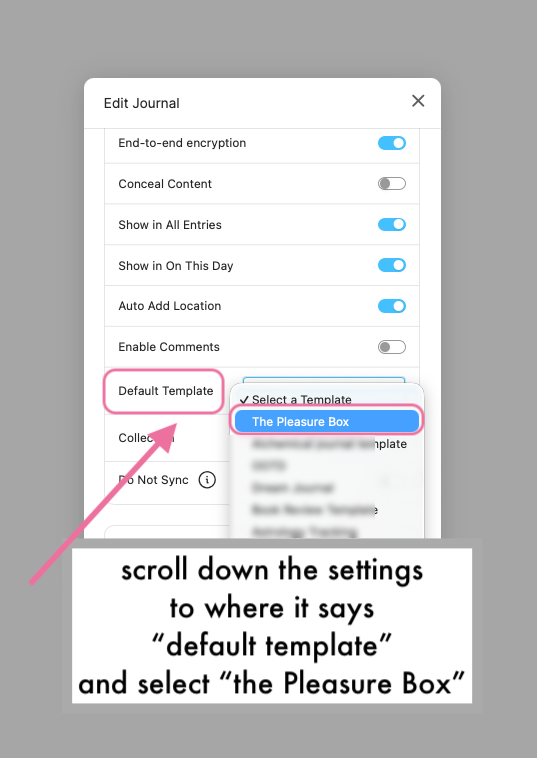
12. In Edit Journal, scroll down to Default Template and select The Pleasure Box.
That is the whole setup. To get greeted: every new entry in that journal now opens with the Pleasure Box — the instructions, the prompts, and the pause for breath. Answer the first prompts that come. Skip whatever doesn’t feel relevant today. Linger over what does.
Happy journaling — and you’ll find the Pleasure Box waiting on the Journal page whenever you need it. xx Ella